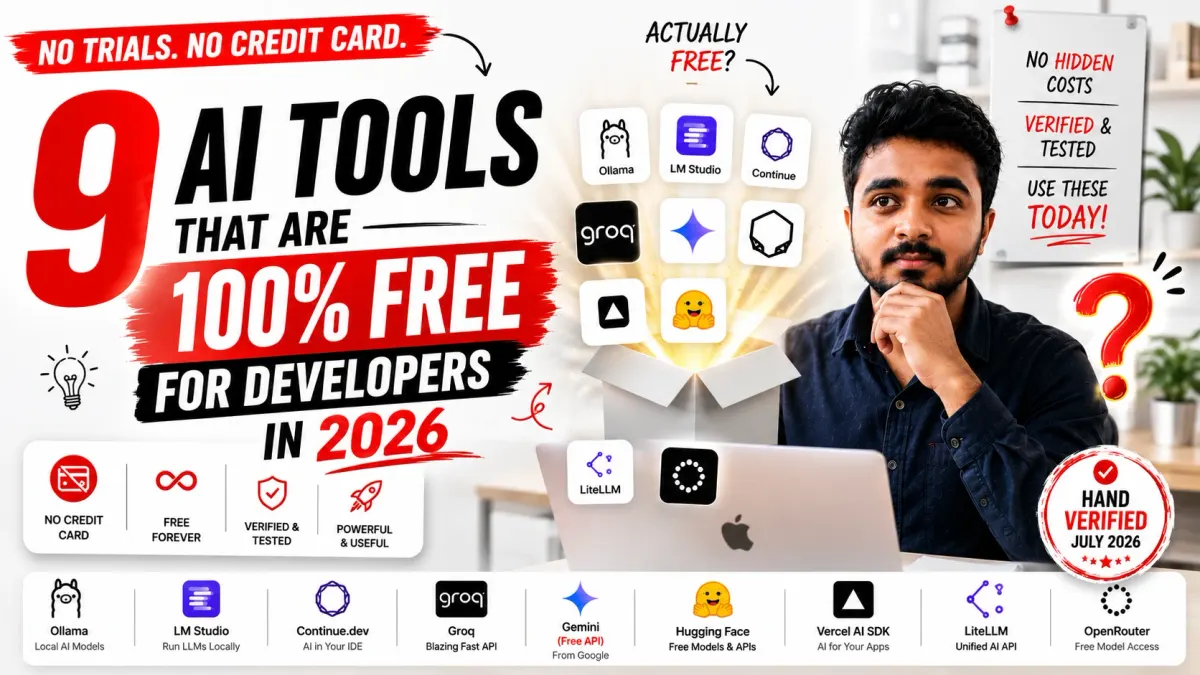
- 1Genuinely free is not the same as 'freemium' — a tool that eventually needs a card, a subscription, or a trial countdown isn't free, it's a funnel. Every tool on this list is $0 forever, verified against live pricing pages as of July 2026.
- 2The only real limits on truly free tools are rate limits or your own hardware, not a payment wall waiting a few weeks down the line.
- 3Free tiers do shift — Gemini's free API lost access to its Pro-class models in April 2026. This piece has been updated to reflect that, which is exactly the kind of change a 'free tools' list needs to keep up with.
- 4Local tools (Ollama, LM Studio) are free because you supply the compute — that's an honest trade, not a hidden cost.
- 5Hosted free tools (Groq, Hugging Face, Gemini's free API, OpenRouter) stay free because they're rate-limited, not because they secretly expire — check the current limits, but don't expect a surprise bill.
- 6Open-source libraries (Continue.dev, Vercel AI SDK, LiteLLM) are free because the code itself costs nothing — you only ever pay for a model provider if you choose to add one.
- 7Combining a local tool with a hosted free API gives you a fully $0 AI development stack, with local as the fallback for offline or private work.
9 AI Tools That Are Actually 100% Free for Developers in 2026
"Free tier" and "free" are not the same sentence. One of them has a countdown timer.
Published: July 19, 2026 · 14 min read · By Veeresh Bashetti
Why This List Exists (and Why It Got Updated)
Most "free AI tools" roundups mix two very different things together: tools that are genuinely free forever, and tools that are free for now — a 14-day trial, a credit-based free tier that runs dry in a week, or a "free" plan that quietly needs a card on file. That second category isn't really free. It's a sales funnel with good UX.
This list only includes tools where all three of these are true:
- No credit card, ever, to use the free tier.
- No expiration date — it doesn't get worse in 30 days.
- No forced upgrade to unlock the tool's core function, only optional paid tiers for scale.
I re-verified every entry on this list against current vendor pricing and documentation pages in July 2026 rather than reusing last year's numbers, and one thing changed enough to matter: Google quietly removed Gemini's Pro-class models from its free API tier on April 1, 2026. The free tier still exists and is still card-free, but it's narrower than it was when this article was first published. That's a good reminder that "free" is a moving target even for the tools that are genuinely trying to stay free — which is exactly why this piece gets a re-check instead of sitting untouched.
I've also added a ninth tool — OpenRouter — because it solves a real problem the original eight didn't cover: what to do when your one free hosted API gets rate-limited mid-project.
Quick Comparison (Updated July 2026)
| Tool | Type | What "Free" Actually Means Right Now | Best For |
|---|---|---|---|
| Ollama | Local model runner | 100% free forever — runs on your own hardware, no account | Fully private, offline AI coding help |
| LM Studio | Local model runner (GUI) | 100% free forever — desktop app, no account needed | A friendlier on-ramp to local models |
| Continue.dev | Open-source IDE assistant | 100% free, open source, bring-your-own-model | Assistant behavior with zero vendor lock-in |
| Groq | Hosted LLM inference API | Free forever, no card; ~30 requests/min and roughly 1,000–14,400 requests/day depending on model | Fastest free hosted inference |
| Google AI Studio / Gemini API | Hosted LLM + API | Free, no card; as of April 2026, Flash and Flash-Lite models only — Pro models moved to paid-only | Prototyping with a large context window on Flash models |
| Hugging Face | Model hub + Spaces + Inference API | Hub, models, datasets, and Spaces hosting are free; Inference API free credits are now small (roughly $0.10/month) | Discovering and testing open models |
| Vercel AI SDK | Open-source app framework | Free npm package, forever | Building AI features into a web app |
| LiteLLM | Open-source LLM gateway | Free to self-host, forever | One API for every provider you use |
| OpenRouter | Hosted model router/API | Free tier with no card required; routes to multiple free-labelled open models with pooled rate limits | Backup inference when your primary free API is rate-limited |
Rate limits and quotas shift over time — sometimes for the better, sometimes not, as the Gemini Pro change shows. None of that changes whether a tool is free, only how much you can do with it before it asks you to bring your own paid model key. Always cross-check the vendor's live pricing page before building a workflow around a specific number.
1. Ollama
Ollama runs open-weight models (Llama, Mistral, Qwen, and others) directly on your own machine through a simple command-line tool.
Why it's actually free: There's no cloud bill, no account, and no usage cap to hit — because the only compute involved is yours. Nothing about Ollama gets worse or more restricted over time.
Pros: Complete data privacy, nothing ever leaves your machine; works fully offline once a model is downloaded; no rate limits of any kind. Cons: Output quality and speed are bound by your own GPU/RAM; frontier-model quality generally isn't matched by what runs locally. Best for: Privacy-sensitive codebases, offline development, and anyone who wants zero recurring dependency on a vendor.
2. LM Studio
LM Studio gives the same idea as Ollama — running open models locally — a full graphical interface, including a model browser, built-in chat UI, and a local server mode that mimics the OpenAI API format.
Why it's actually free: It's a free desktop download with no account, no subscription tier, and no feature locked behind payment.
Pros: Much friendlier than a pure command line for exploring models; built-in compatibility checks so you know what your hardware can actually run; local server mode lets existing OpenAI-style code point at it with minimal changes. Cons: Same hardware ceiling as any local tool — larger models need real RAM/VRAM. Best for: Developers who want a GUI before committing to scripting anything with local models.
3. Continue.dev
Continue is an open-source AI coding assistant for VS Code and JetBrains that you can connect to any model — a hosted API, a local Ollama model, or your own fine-tuned checkpoint.
Why it's actually free: Continue itself is free and open source, full stop. It doesn't bundle a model, so there's nothing to meter or restrict — you only pay if you choose to connect a paid API.
Pros: No vendor lock-in — swap models without changing your workflow; transparent, community-auditable codebase; pairs with Ollama for a fully offline, fully free assistant. Cons: Slightly more setup than a plug-and-play assistant; quality depends entirely on which model you connect to it. Best for: Developers who want assistant-style help without being tied to one company's model or pricing.
4. Groq (GroqCloud API)
Groq is an inference platform built on custom LPU (Language Processing Unit) chips that runs open-weight models — Llama, Qwen, DeepSeek, Whisper, and others — at very high speed.
Why it's actually free, verified July 2026: Groq's developer tier requires no credit card and gives access to every hosted model with no separate paid unlock. The only constraint is a rate limit, applied at the organization level rather than per API key, so creating extra keys doesn't raise your ceiling. Limits are model-specific rather than one flat number: most models sit around 30 requests per minute, with daily caps that range roughly from 1,000 to 14,400 requests per day depending on the model and its token limits. Adding a credit card unlocks the paid Developer tier — roughly 10x the rate limits plus a modest per-token discount — but it's an upgrade, not a requirement. See the live numbers on Groq's rate limits documentation and pricing page.
Pros: No card required to start; every hosted model available on the free tier; genuinely fast inference (LPU hardware routinely beats GPU-based providers on latency), which matters for anything chat-like. Cons: Only open-weight models are available, not GPT, Claude, or Gemini directly; per-minute limits mean you can't burst even though the daily cap looks generous on some models. Best for: Building fast, responsive AI features without ever entering payment details.
5. Google AI Studio / Gemini API
Google AI Studio lets you prototype directly against Gemini models in the browser, with a matching developer API you can call from code.
Why it's actually free — but read this part carefully: The free tier requires no credit card and doesn't expire, so it's still a genuine "free forever" entry on this list. But it changed in 2026: since April 1, Pro-class Gemini models (2.5 Pro, 3.x Pro) were removed from the free tier and are now paid-only. Free access today means the Flash and Flash-Lite model family, with rate limits generally in the range of 5–15 requests per minute and up to roughly 1,000–1,500 requests per day depending on the model. One more thing worth knowing before you build on it: Google's terms allow free-tier prompts and responses to be used to improve its products, which isn't the case once you're on the paid tier. Full current limits are on Gemini's official pricing page and rate limits documentation.
Pros: Flash models still carry a very large context window relative to most free tiers; a real no-cost path from browser prototyping straight into code; no expiration and no credit card at any point. Cons: Pro-class reasoning models are no longer reachable for free, which narrows the "biggest context window" advantage this tool used to have across its whole lineup; daily request caps are stricter than older guides suggest, so don't trust screenshots from 2025. Best for: Prototyping with long documents or large codebases using Flash-class models, without paying anything up front — just don't expect Pro-level reasoning on the house anymore.
6. Hugging Face
Hugging Face is the largest hub for open-source models, datasets, and demo apps ("Spaces"), plus a hosted Inference API.
Why it's actually free — with an honest caveat: The Hub itself — public model hosting, dataset hosting, and Spaces for demos — is completely free with no expiring tier. What's changed is the hosted Inference API: free-tier usage now comes with a fairly small monthly credit allowance (on the order of a few cents' worth of inference per month), and community ZeroGPU access for Spaces is capped at a modest number of minutes per day. None of that turns Hugging Face into a paid tool — the Hub and Spaces hosting genuinely cost nothing — but if your plan was "run serious inference volume through Hugging Face's free API," that specific piece is thinner than it used to be, and Inference Endpoints (dedicated infrastructure) were never free to begin with. See the current breakdown on Hugging Face's pricing page and Inference Providers billing docs.
Pros: An enormous library of open models across text, vision, and audio; Spaces make it trivial to share a working demo without managing your own server; strong documentation and an active community. Cons: Free-tier Inference API credits are small enough that they're really a "try it once" allowance rather than a daily workhorse; production use typically means moving to paid Inference Endpoints or routing through a provider like Groq instead. Best for: Discovering and testing open-source models, and hosting lightweight public demos for free — treat the hosted inference credits as a taster, not a production plan.
7. Vercel AI SDK
The Vercel AI SDK is an open-source TypeScript/JavaScript library for building streaming, multi-provider AI features — chat UIs, structured output, tool calling — into web apps.
Why it's actually free: It's an npm package, not a hosted service. There's nothing to meter, expire, or upsell — you only ever pay for whichever model provider you choose to call through it.
Pros: Provider-agnostic, so you can swap between OpenAI, Anthropic, Google, and others with minimal code changes; built-in React/Next.js hooks for streaming chat interfaces; strong TypeScript support. Cons: You still need to bring your own model API access, free or paid; it's aimed squarely at the JS/TS ecosystem. Best for: Web developers wiring AI features directly into a React or Next.js app without any lock-in.
8. LiteLLM
LiteLLM is an open-source gateway that gives you one consistent, OpenAI-compatible API for calling 100+ different LLM providers.
Why it's actually free: Self-hosting LiteLLM costs nothing — it's open-source software you run yourself. A separately priced hosted proxy exists if you'd rather not run it, but the core tool is free indefinitely.
Pros: Switch or fall back between providers (OpenAI, Anthropic, Groq, local models, and more) without rewriting application code; built-in cost tracking and rate-limit handling across providers; avoids single-vendor lock-in entirely. Cons: Self-hosting adds one more service to operate and monitor; the managed hosted version isn't free. Best for: Anyone calling more than one LLM provider who wants a single interface and easy fallback logic, at no software cost.
9. OpenRouter (New Addition)
OpenRouter is a hosted router that sits in front of dozens of model providers behind a single OpenAI-compatible endpoint, and it maintains a running list of models specifically tagged as free to call.
Why it's actually free: Signing up requires no credit card, and the free-tagged models on the platform carry no per-token charge — you're gated by shared rate limits across the free pool rather than a payment wall. Because it aggregates multiple providers, if one upstream model gets busy or rate-limited, you can often switch to another free model in the same request format without touching your integration code.
Pros: One API key gives you a rotating menu of free open models instead of betting on a single provider's uptime or limits; genuinely useful as a fallback layer alongside Groq or Gemini's free tier; OpenAI-compatible, so it drops into existing SDKs and tools like Continue.dev or the Vercel AI SDK with minimal changes. Cons: Free-tagged models change over time as providers rotate what they offer at no cost, so don't hardcode a specific free model name into production without a fallback; shared free-tier rate limits can tighten during high-traffic periods. Best for: Developers who want a single integration point that keeps working even when one specific free API is temporarily rate-limited or unavailable. Browse current free-tagged models directly on OpenRouter's models page.
Watch: A Free, Full-Length Course on AI Developer Tools
If you'd rather see tools like these in action than read about them, freeCodeCamp published a full course covering real AI-assisted development workflows, including tools that pair well with everything on this list.
It runs about 90 minutes, but it's structured so you can jump to the section relevant to what you're trying to build.
A Realistic Free Stack
You don't need all nine running at once. Here's how they combine naturally:
Fully offline and private: Ollama or LM Studio + Continue.dev. Nothing ever leaves your machine, no rate limits, no internet dependency.
Fastest hosted option: Groq, when you want hosted speed without a card on file.
Biggest usable context on a free tier: Google AI Studio / Gemini API, on Flash-class models, for prototyping against long documents or large codebases — just remember Pro models are off the free table now.
Backup when your primary free API is rate-limited: OpenRouter, so a busy Tuesday doesn't stall your build.
Finding and testing models: Hugging Face, before you commit to running anything locally or through an API.
Building the actual app: Vercel AI SDK for the front end, LiteLLM in front of it if you want to swap providers without touching your application code.
How to Verify a "Free AI Tool" Yourself (So You're Not Relying on Any Single Article)
Pricing pages change more often than blog posts do, including this one. Before you build a real workflow on any "free" claim — from this article or anywhere else — spend two minutes checking these four things directly on the vendor's site:
- Does the signup flow ask for a card at all? If a card is requested "just to verify identity," that's a soft gate that often turns into billing later. A genuinely free tier never asks.
- Is there a published rate limit, or a vague "fair use" clause? A specific number (requests per minute, tokens per day) is a sign of an honest free tier. Vague language is often where a surprise cutoff hides.
- Does the pricing page have a visible "last updated" date? Vendors that are proud of their free tier tend to keep the page current. Stale pages are a signal to search for recent user reports instead of trusting the page as-is.
- Search the tool's name plus "free tier changed" or "free tier removed." Community forums and dev blogs usually catch changes — like the Gemini Pro removal — within days, often faster than official changelogs are updated.
Common Mistakes People Make With "Free" AI Tools
Confusing a free trial with a free tool. If a plan has a countdown, a shrinking credit balance with no free refill, or an "add a card to continue" prompt, it isn't on this list for a reason — it's not actually free.
Assuming free means unlimited. Rate limits exist on every hosted free tier here, including Groq, Gemini, Hugging Face, and OpenRouter. That's normal infrastructure management, not a hidden catch — it just means you plan around it instead of being surprised by it.
Skipping the local option entirely. Ollama and LM Studio are the only two tools on this list with zero rate limits, because the compute is yours. If privacy or offline access matters at all, they're worth setting up even if you mainly use a hosted API day to day.
Never checking current limits. Free tiers get adjusted over time, even genuinely free ones — Gemini's Pro-model removal in April 2026 is the clearest example in this very list. Check each vendor's live pricing or docs page before building a workflow that depends on a specific number, rather than trusting any single article, including this one, indefinitely.
Building production traffic on a single free provider. If your app has real users, a single rate-limited free tier is a single point of failure. Pairing a primary free API with a router like OpenRouter or a gateway like LiteLLM gives you a fallback path without adding cost.
Frequently Asked Questions
What makes a tool "totally free" versus just having a free tier?
A totally free tool never requires a credit card, never expires, and never gates its core functionality behind a forced upgrade. A free tier, by contrast, is often an evaluation window on a paid product — generous at first, then increasingly restrictive until you pay. Every tool in this article is the former: free by design, not free as a sales funnel.
If these tools are free, how do the companies behind them make money?
It varies by tool. Local tools like Ollama and LM Studio are free because the compute cost is yours, not theirs. Hosted APIs like Groq, Hugging Face, and Google monetize through paid tiers, higher rate limits, or dedicated infrastructure for teams, while the free tier remains genuinely free for individual and light use. Open-source libraries like Continue.dev, Vercel AI SDK, and LiteLLM are free because the code is a public good — you only pay if you connect them to a paid model provider.
Do free rate limits mean these tools aren't good enough for real work?
No — rate limits mean you can't run heavy production traffic through the free tier without eventually adding a paid model provider or upgrading a hosted plan. For solo development, prototyping, and learning, the limits on tools like Groq, Gemini's API, and Hugging Face are high enough that most developers rarely hit them in a normal day.
Which of these tools works completely offline?
Ollama and LM Studio both run models entirely on your own machine once downloaded, with no internet connection required for inference. Continue.dev can also run fully offline if you point it at a local Ollama or LM Studio model instead of a hosted API.
Did the Gemini API free tier really get worse in 2026?
Partly. Since April 1, 2026, Google removed Pro-class Gemini models from the free tier — only Flash and Flash-Lite models are free now. Daily request caps were also tightened compared to 2025. It's still a genuinely free, no-card, non-expiring tier — it's just a narrower one than it used to be, which is exactly why it's worth re-checking pricing pages instead of trusting an old screenshot.
Can I build a real project using only these tools?
Yes. A realistic free stack looks like this: Continue.dev or a local model through Ollama/LM Studio for in-editor help, Groq or Gemini's free API for fast hosted inference, OpenRouter as a backup when one provider is rate-limited, Hugging Face for finding and testing open models, Vercel AI SDK for wiring AI features into a web app, and LiteLLM if you want to switch between providers without rewriting code. None of it requires a credit card to start.
Final Thoughts
The AI tooling space is full of "free" that isn't. A trial with a countdown, a credit balance that never refills, a plan that quietly needs a card before you find out — none of that is free, it just looks free for a week. And even the tools that are honestly free can quietly narrow what they offer, the way Gemini's API did with its Pro models in April 2026 — which is exactly why a "free tools" article is worth re-checking rather than treating as permanent.
The nine tools above aren't the flashiest names in AI right now. They're the ones that stay free after the excitement wears off, because being free was never a marketing decision for them — it's how they're built. Start with one local tool and one hosted API, add a router like OpenRouter as your safety net, and you already have a complete, permanently free AI development stack.
Keep Reading
- Not Saying "No" Is Quietly Making You Poor — the same instinct that makes "free trial" feel like "free" is worth questioning everywhere else, too
- 22 Years Old, -₹400 in My Bank Account, and Still Shipping Code — what it looks like to build with nothing but genuinely free tools because free tools were all there was
This article was originally published in early 2026 and re-verified against vendor pricing and documentation pages in July 2026, with the Gemini API section updated to reflect the April 2026 removal of Pro-class models from the free tier and the Hugging Face section updated to reflect current Inference API credit allowances. Pricing and free-tier details for AI products change frequently — always confirm current limits on the official pricing page before building a workflow around them.
Did you find this helpful?
FAQ