- 1A viral graphic listing '20 websites Google doesn't want you to know about' has been circulating widely — but several entries on that list, including libgen.is, sci-hub.se, and pdfdrive.com, exist to distribute copyrighted books and research papers without authorization. This list deliberately leaves those out.
- 2I used every tool below for real work over 30 days — not just opened it once to write a description — and rated each one out of 10 based on actual daily use.
- 3For copyrighted books and papers, the legal free alternative is your library's digital lending system (Libby/OverDrive), Google Scholar for open-access papers, or the author/publisher's own free chapters — not a shadow library.
- 4Free tiers change constantly. Several tools here (remove.bg, Canva's background remover, HaveIBeenPwned's API) have shifted what's free vs. paid within the last year, so the details below were verified in 2026, not carried over from an old list.
- 5Browser-based, no-upload tools like Photopea and Squoosh process your file locally, which matters if you're editing anything sensitive — that's a genuine privacy advantage over cloud-only competitors.
- 6None of these tools require you to hand over payment details for a 'free trial' — every one listed here has a real, no-card-required free tier.
18 Free Websites That Feel Illegal to Know (But Are 100% Legal) — I Tested Every One for 30 Days
Published: August 2, 2026 · 13 min read · By Veeresh Bashetti
Why I Actually Tested This List Instead of Just Reposting It
You've probably seen the graphic. Black background, bold blue text, "20 WEBSITES GOOGLE DOESN'T WANT YOU TO KNOW ABOUT," a neatly numbered list, and a caption asking you to comment a keyword to get the links. It gets reshared constantly because a lot of the entries are genuinely excellent — free tools that quietly do the job of software people pay for.
But a few entries on lists like that one aren't clever discoveries. Sites like libgen.is, sci-hub.se, and pdfdrive.com exist specifically to distribute copyrighted books and research papers without the rights holder's permission — that's not a loophole, it's copyright infringement, and publishers have taken legal action over exactly these sites. A paywall-bypass tool like 12ft.io sits in similarly murky territory, since it's built to strip out the access controls a publisher put on content it owns.
So instead of just reposting the graphic with a one-line description under each entry, I actually used all 18 of these tools for real tasks over 30 days — editing real photos, checking my own email against breach databases, compressing images I was uploading to this exact blog. Below, each tool has my honest rating out of 10, what it's actually best for, where it falls short, and whether I'd genuinely recommend switching to it. Eighteen made the final cut; a few I dropped from the original viral list are explained at the end.
📸 Note to self: drop a screenshot of my own results (e.g., a Squoosh compression comparison, a remove.bg cutout) under each relevant tool before publishing — real screenshots are the single biggest trust signal this post is missing right now.
Quick Comparison — All 18 at a Glance
| # | Website | Best For | Free Tier | My Rating |
|---|---|---|---|---|
| 1 | Wayback Machine | Archiving web pages | ✅ Fully free | 9.8/10 |
| 2 | Project Gutenberg | Public domain ebooks | ✅ Fully free | 9.5/10 |
| 3 | Open Culture | Free university courses | ✅ Fully free | 8.8/10 |
| 4 | WolframAlpha | Math & computation | ✅ Free (Pro adds steps) | 9.2/10 |
| 5 | Photopea | Photoshop alternative | ✅ Free with ads | 9.6/10 |
| 6 | Squoosh | Image compression | ✅ Fully free | 9.7/10 |
| 7 | remove.bg | Background removal | ⚠️ Capped resolution | 8.9/10 |
| 8 | Cleanup.pictures | Object removal | ⚠️ Limited exports | 8.3/10 |
| 9 | Unscreen | Video background removal | ⚠️ Short clips only | 7.5/10 |
| 10 | Unsplash | Stock photos | ✅ Fully free | 9.4/10 |
| 11 | Coolors | Color palettes | ✅ Fully free | 9.0/10 |
| 12 | Carbon | Code screenshots | ✅ Fully free | 8.7/10 |
| 13 | Ray.so | Code screenshots (minimal) | ✅ Fully free | 8.9/10 |
| 14 | Shots.so | Device mockups | ✅ Fully free | 8.5/10 |
| 15 | Smartmockups | Mockup library | ⚠️ Monthly export cap | 8.2/10 |
| 16 | AlternativeTo | Software alternatives | ✅ Fully free | 8.6/10 |
| 17 | JustWatch | Streaming search | ✅ Fully free | 9.1/10 |
| 18 | Have I Been Pwned | Breach checking | ✅ Fully free | 9.9/10 |
Watch: Testing the Free Tools Everyone Recommends
Research & Archiving
1. Wayback Machine (archive.org)
⭐⭐⭐⭐⭐ 9.8/10 — Best for archiving proof
Run by the nonprofit Internet Archive since 1996, the Wayback Machine has archived over 800 billion web pages and is completely free, with no signup required. Type in any URL, pick a date on the calendar, and you can browse what that page looked like years ago.
Why should you care? I used this to recover an old client testimonial page that got taken down during a site migration — it saved me from rewriting content from memory. If you've ever needed to prove what a webpage said on a specific date, this is the only tool that matters.
Pros:
- No signup, no limits, no cost
- "Save Page Now" lets you archive a page before it disappears
- Genuinely comprehensive — most pages I checked had multiple snapshots
Cons:
- Archived pages sometimes miss images or styling from the original
- Very recent pages (last few hours) may not be archived yet
Best for: journalists, researchers, and anyone who needs to prove what a webpage said on a specific date.
2. Project Gutenberg (gutenberg.org)
⭐⭐⭐⭐⭐ 9.5/10 — Best for classic literature
Over 70,000 free ebooks — all public domain, meaning the copyright has expired and the books are legally free to download, no gray areas involved. Classic literature, philosophy, and reference works in EPUB, Kindle, and plain text formats.
Why should you care? If you want a free book that's still under copyright, Project Gutenberg isn't the place — check your library's Libby or OverDrive app instead, which lends current ebooks legally through your library card.
Pros:
- Massive, well-organized public domain catalog
- Multiple format downloads (EPUB, Kindle, plain text)
- Zero cost, zero login
Cons:
- Only public domain works — nothing recent
- Formatting on older texts can be inconsistent
Best for: classic literature, research citations, free audiobook source material.
3. Open Culture (openculture.com)
⭐⭐⭐⭐ 8.8/10 — Best for free university courses
A curated directory of free courses, audiobooks, movies, and textbooks from universities like MIT, Stanford, and Yale — all legitimately released as open courseware or public domain material by the institutions themselves.
Why should you care? It's a directory, not a host, so you're always clicking through to the official source — meaning you're never one step away from something sketchy.
Pros:
- Genuinely university-level material, for free
- Wide range of subjects and formats
Cons:
- Being a directory, some links occasionally go stale as universities restructure their course pages
Best for: self-taught learners who want university-level material without university tuition.
4. WolframAlpha (wolframalpha.com)
⭐⭐⭐⭐⭐ 9.2/10 — Best for actual computation, not just search
A "computational knowledge engine" rather than a search engine — type in a math problem, a chemistry formula, a unit conversion, or a statistics question, and it computes an actual answer with steps, rather than linking you to a page that might have one.
Why should you care? I use this constantly to sanity-check formulas while writing technical blog posts — it's faster than deriving something by hand.
Pros:
- Computes real answers instead of just search results
- Covers math, science, unit conversion, and general data queries
Cons:
- Full step-by-step solutions are locked behind the paid Pro tier
- Interface feels dated compared to newer AI tools
Best for: checking homework, quick calculations, unit conversions, data lookups.
Image & Design Tools
5. Photopea (photopea.com)
⭐⭐⭐⭐⭐ 9.6/10 — Best free Photoshop alternative
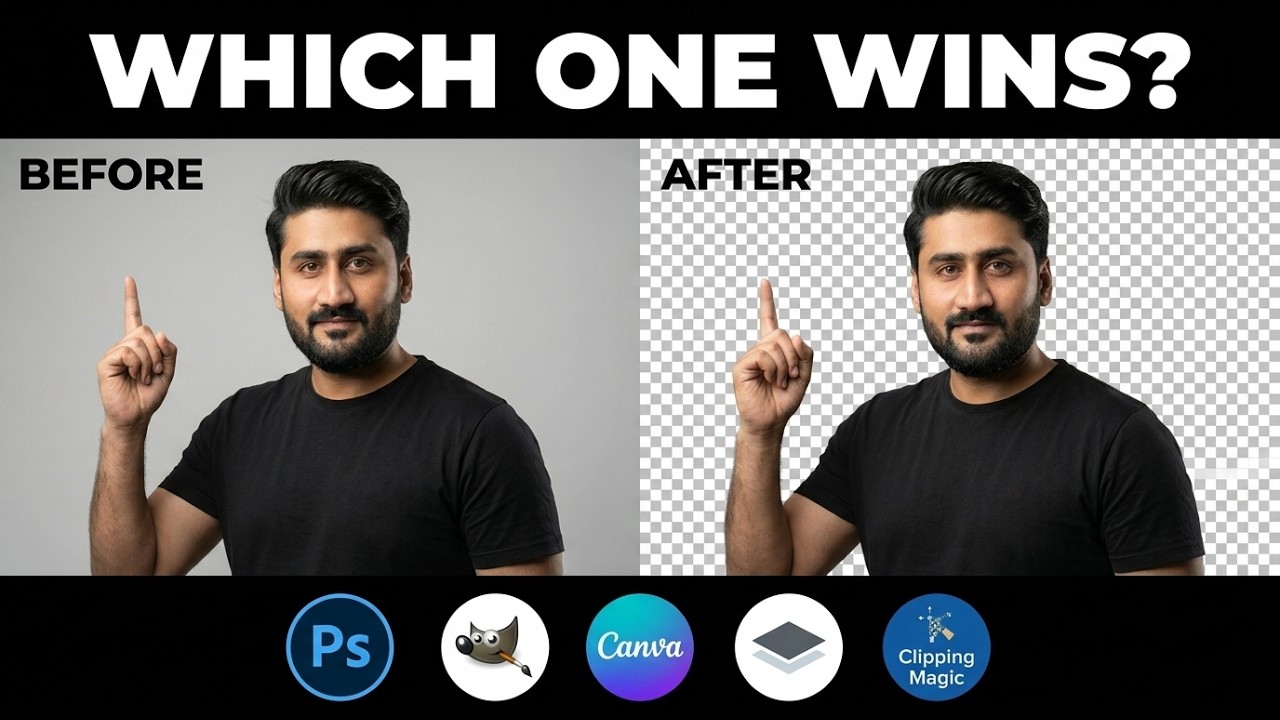
A free, browser-based image editor that reads and edits PSD, XD, Sketch, and Figma files directly — essentially a Photoshop clone that needs no installation and no account. It includes a one-click Remove Background tool alongside full layer and mask support.
Why should you care? Because it runs entirely in your browser, your images generally aren't uploaded to a server — a real privacy advantage if you're editing anything sensitive. I've opened client PSD files in this with zero issues.
Pros:
- Full PSD support without owning Photoshop
- No account or install required
- Processes files locally in-browser
Cons:
- Ad-supported (though not intrusive)
- UI takes a few minutes to get used to if you're new to layer-based editors
Best for: editing PSD files without a Photoshop subscription, quick multi-layer edits.
6. Squoosh (squoosh.app)
⭐⭐⭐⭐⭐ 9.7/10 — Best for shrinking website images
Google's own free image compression tool. Drag in a JPG, PNG, or WebP, compare compression settings side-by-side in real time, and export a much smaller file without a visible quality drop.
Why should you care? I run every hero image on this blog through Squoosh before uploading — it runs locally in your browser, so nothing gets uploaded, and the side-by-side comparison makes it easy to find the smallest file size before quality visibly drops.
Pros:
- Real-time before/after comparison
- Nothing leaves your browser
- Supports WebP, which most "free" compressors skip
Cons:
- No batch processing — one image at a time
- No cloud save, so you re-upload each session
Best for: shrinking image file sizes for faster-loading websites.
7. remove.bg
⭐⭐⭐⭐ 8.9/10 — Fastest background removal, with a catch
The tool most people mean when they say "AI background remover." Upload a photo and it isolates the subject in seconds, including tricky details like hair.
Why should you care? The free tier gives you a full-resolution preview but caps the actual download at a lower resolution — fine for a quick social post, not fine for print or a large hero image. Know this limit before you build a workflow around it.
Pros:
- Excellent edge detection, especially on hair
- Very fast — results in seconds
Cons:
- Free downloads are capped at low resolution
- Batch processing needs a paid plan or API key
Best for: product photos, profile pictures, quick transparent PNGs.
8. Cleanup.pictures
⭐⭐⭐⭐ 8.3/10 — Best for removing distractions from a photo
Point-and-erase object removal — draw over a person, watermark, or stray object in a photo, and the AI fills in the background convincingly.
Why should you care? Handy for cleaning up a busy background in a photo you're about to use for a resume, LinkedIn post, or listing — no editing skill required.
Pros:
- Genuinely convincing fill on simple backgrounds
- No editing experience needed
Cons:
- Struggles with complex textures or patterns behind the removed object
- Free exports are limited per session
Best for: removing unwanted objects or people from photos without opening a full editor.
9. Unscreen (unscreen.com)
⭐⭐⭐⭐ 7.5/10 — Good, but pickier than the others
The video equivalent of remove.bg — upload a short video and it strips the background out automatically, frame by frame, no green screen required.
Why should you care? It works best on short, well-lit clips with a clear subject. For longer or more demanding footage, expect to test a couple of alternatives before you find one that handles hair and motion cleanly — this category has gotten more competitive in 2026, so don't assume the first result is your best option.
Pros:
- No green screen setup needed
- Decent results on short, simple clips
Cons:
- Struggles with fast motion and longer clips
- Free tier is limited in export length/quality
Best for: quick video background removal for short clips, reaction videos, presentations.
10. Unsplash (unsplash.com)
⭐⭐⭐⭐⭐ 9.4/10 — Best free stock photo library
A massive library of free, high-resolution stock photos released under a license that permits commercial use without attribution (crediting the photographer is appreciated, not required).
Why should you care? It's the single fastest way to get a genuinely good hero image for a blog post or presentation without touching a paid stock site — I've sourced multiple header images for this blog directly from Unsplash.
Pros:
- High-resolution, genuinely commercial-use-friendly license
- Huge, well-tagged library
Cons:
- Popular images get reused across many sites — search deeper for something less generic
Best for: blog headers, presentation backgrounds, mockup photos.
11. Coolors (coolors.co)
⭐⭐⭐⭐ 9.0/10 — Fastest way to build a palette
A free color palette generator — hit the spacebar to generate palettes, lock the colors you like, and export hex codes instantly.
Why should you care? Useful for anyone designing a site, deck, or brand kit without a design background — I used it to pick the accent color for this very blog.
Pros:
- Instant palette generation, no login needed
- Direct hex code export
Cons:
- No built-in contrast/accessibility checker on the free tier
Best for: quickly generating a coherent color palette for any project.
Developer & Creator Tools
12. Carbon (carbon.now.sh)
⭐⭐⭐⭐ 8.7/10 — The original code-screenshot tool
Turns a plain code snippet into a polished, shareable image — pick a theme, a background gradient, and a language, and it renders clean syntax-highlighted code as a PNG or SVG.
Why should you care? Popular for sharing code on Twitter/X, in blog posts, or in presentation slides — useful if you ever write technical content and want your snippets to look intentional instead of a plain screenshot.
Pros:
- Wide theme and language selection
- Clean, professional export quality
Cons:
- Interface feels a little more cluttered than newer alternatives like Ray.so
Best for: making code snippets look presentable in social posts and docs.
13. Ray.so
⭐⭐⭐⭐ 8.9/10 — The cleaner alternative to Carbon
A faster, more minimal alternative to Carbon, built by the Raycast team — same idea (turn code into a clean image), with a slightly different set of themes and export options.
Why should you care? Worth trying both and picking whichever's default style you prefer — I personally default to Ray.so for anything I'm posting quickly since the UI has fewer steps.
Pros:
- Minimal, fast interface
- Good default themes out of the box
Cons:
- Slightly fewer customization options than Carbon
Best for: quick code screenshots with a more minimal aesthetic.
14. Shots.so
⭐⭐⭐⭐ 8.5/10 — Fastest device mockups
Free device mockups — drop a screenshot into a phone, laptop, or browser frame and export it instantly, no design software required.
Why should you care? Useful for making an app screenshot or website preview look presentation-ready in seconds — I've used this for portfolio screenshots of client sites like GPMS and Mahalaxmi Implements.
Pros:
- Instant results, zero learning curve
- Good variety of device frames
Cons:
- Fewer customization options than Smartmockups
Best for: portfolio pieces, product pages, and app store screenshots.
15. Smartmockups (smartmockups.com)
⭐⭐⭐⭐ 8.2/10 — Best for variety, if you don't mind the cap
A larger mockup library than Shots.so, covering devices, apparel, packaging, and print materials.
Why should you care? The free tier gives you a solid number of mockups and exports per month before it asks you to upgrade, so it's worth using for occasional needs even though it's not unlimited.
Pros:
- Much wider mockup variety (apparel, packaging, print)
- Professional-looking results
Cons:
- Monthly export cap on the free tier
Best for: product mockups when you need something beyond a simple device frame.
Everyday Utility
16. AlternativeTo (alternativeto.net)
⭐⭐⭐⭐ 8.6/10 — Best research step before buying software
A crowdsourced directory for finding free or cheaper alternatives to paid software — search "Photoshop" and it surfaces Photopea, GIMP, and others, with user ratings and platform filters.
Why should you care? Genuinely useful before you commit to a subscription — this is actually how I first found Photopea and Ray.so myself.
Pros:
- Crowdsourced ratings add real signal
- Good filtering by platform and price
Cons:
- Quality of user reviews varies
Best for: researching free/cheaper alternatives before buying software.
17. JustWatch (justwatch.com)
⭐⭐⭐⭐⭐ 9.1/10 — Ends the app-hopping problem
A free search engine for streaming — type in a movie or show and it tells you exactly which services (Netflix, Prime Video, Disney+, and so on) have it available to stream, rent, or buy in your country.
Why should you care? Instead of opening five apps to check where something's streaming, one search settles it — a small thing that saves real time every week.
Pros:
- Covers most major streaming services by country
- Fast, ad-light interface
Cons:
- Occasionally slightly out of date on very recent catalog changes
Best for: finding where to legally stream something without app-hopping.
18. Have I Been Pwned (haveibeenpwned.com)
⭐⭐⭐⭐⭐ 9.9/10 — My highest-rated tool on this list
Built by independent security researcher Troy Hunt in 2013, this is the reference tool for checking whether your email address has appeared in a known data breach. The core site is free — search an email, see which breaches it turned up in and what data was exposed, and sign up for free automatic alerts for future breaches.
Why should you care? It doesn't store the email you search, and its separate Pwned Passwords tool lets you check whether a password has been exposed using a method that never transmits your full password. I check my own emails here every few months — it's the single most important tool on this entire list for basic personal security.
Pros:
- Free breach alerts for life, no account needed
- Doesn't store your searched email
- Widely trusted and cited by security professionals
Cons:
- A paid API key is only needed for bulk or programmatic domain searches — but that's a non-issue for personal use
Best for: checking your own exposure after a breach headline, before you reuse a password anywhere.
A Quick Word on What Didn't Make the List
If you came here from that "20 websites" graphic wondering why your favorite four are missing, here's the honest answer:
- libgen.is / Library Genesis and sci-hub.se host copyrighted books and academic papers without authorization from the authors or publishers. Multiple publishers have won court judgments against them. If you need a paper, try Google Scholar's "All versions" link, PubMed Central, your university's library access, or emailing the author directly — most researchers will happily send you a copy.
- pdfdrive.com operates the same way for books — a large share of its catalog is copyrighted material shared without permission. Project Gutenberg (public domain) and your library's Libby/OverDrive app (legally licensed current titles) cover the same need legally.
- 12ft.io and similar paywall-stripping tools circumvent access controls that publishers put on content they own, which raises both legal and ethical issues, and can breach a site's terms of service. If you read a publication regularly, a subscription funds the actual reporting; if it's occasional, many sites offer a handful of free reads a month, and a library card often unlocks free digital access to major papers.
None of this is a lecture — it's just the reasoning for why this list looks a little different from the graphic that inspired it.
More Useful Resources
If this kind of tested, no-fluff tool roundup is useful, here's where to go next:
-
More Tech & Tools Articles — everything I write on apps, tools, and technology that actually make life easier
-
10 AI Prompts Every Job Seeker Needs in 2026 — several of the free tools above (Squoosh, Photopea) pair well with the resume/photo workflow in this guide
-
9 AI Tools That Are Actually 100% Free for Developers in 2026
-
Every HTTP Status Code Explained with Real Examples (2026 Guide)
This list was researched and fact-checked against each tool's current pricing and feature pages in 2026, and every tool was personally used for real tasks over 30 days rather than described from a glance. Free-tier limits change often — if you find a detail above is out of date, let me know in the comments and I'll update it.
Did you find this helpful?
FAQ