
- 1The 2026 data backs up what this post argues from experience: industry surveys now put daily AI-assistant usage among developers well above 80%, but most teams report the productivity gain is far smaller than the adoption number suggests — the gap is almost always in how the tool is used, not the tool itself.
- 2The workflow pattern that's actually converged across the industry in 2026 is a two-tool stack — one assistant built into the editor for fast, in-context edits, and a separate terminal-based agent for larger, multi-file or multi-step changes — rather than one tool trying to do everything.
- 3The most common failure mode isn't obviously broken code — it's confident, plausible-looking code that quietly contains a wrong assumption, which is why review discipline matters more with AI-generated code, not less.
- 4AI is consistently more useful for scaffolding, boilerplate, tests, and documentation than for final architectural decisions on a live production system with real users and real data.
- 5Treating an AI coding assistant like a fast, capable intern who still needs direction, context, and review — instead of an autonomous decision-maker — is the mental model most experienced developers land on after a year of daily use.
- 6You don't need to understand code to understand this workflow: the same 'plan first, review everything, trust nothing blindly' pattern applies to using AI for writing emails, planning a budget, or drafting a business proposal.
How I Actually Use AI Every Day as a Developer (My Real Workflow, Not a Tools List)
A tools list tells you what exists. It doesn't tell you what happens at 11 PM when the AI-generated fix breaks something else, and you're the one who has to notice.
Published: July 23, 2026 · 14 min read · By Veeresh Bashetti
Before We Start: This Post Isn't Just for Developers
Quick heads-up if you don't write code for a living: stay anyway. Every technical term in this post gets explained in plain English the moment it shows up, and the actual lesson underneath all of it — plan before you ask AI for help, split work between the right tool for the job, and never trust a confident-sounding answer without checking it — applies just as much to writing a business email or planning your monthly budget as it does to writing software. Think of the coding parts as the specific example. The habits are universal.
Why This Isn't Another "Best AI Tools" Post
I already wrote the tools post — 9 AI Tools That Are Actually 100% Free for Developers in 2026. That post answers "what exists." This one answers a completely different, much more useful question: what does a normal workday actually look like once those tools are switched on and you're shipping real features on a live client project, not a toy repo nobody depends on?
Here's why that distinction matters more than it sounds like it should. Adoption numbers for AI coding tools are genuinely high right now — most 2026 developer surveys put daily or near-daily usage well above 80% of professional developers. That's an enormous number. Almost everyone who codes for a living is opening some kind of AI tool every single day.
But here's the part that gets buried under that headline: several separate 2026 studies report a real, measurable gap between how many developers use these tools daily and how many actually measure a meaningful productivity gain from doing so. In plain terms — a huge number of people have the tool open. A much smaller number of them are actually getting meaningfully faster because of it. That gap, not the adoption number, is the actually interesting story. It's also the one that never makes it into a tools listicle, because "here are 10 apps" is a much easier post to write than "here's exactly where I've watched smart people waste time with these apps."
So here's my honest, first-person version instead — what I open first, what I trust, what I've been burned by, and what the workflow actually looks like on a normal day building Django and React apps for real clients who have real money and real customers riding on the code working correctly.
In Plain English: What Actually Is an "AI Coding Assistant"?
Before I walk through my day, a quick grounding for anyone who's never used one of these tools directly. Think of an AI coding assistant as a very fast, very well-read junior teammate who has read an enormous amount of code and documentation, types instantly, and never gets tired — but who also has never actually met your specific client, doesn't know your specific business rules unless you tell it, and will confidently hand you something wrong if you don't check its work.
There are, broadly, two flavors I use every day, and the distinction matters a lot for what comes next:
- Editor-based assistants live inside the same program you write code in. They suggest the next few lines as you type, almost like a very smart autocomplete, or make a small targeted edit when you ask.
- Terminal-based agents are more independent. You give them a bigger, multi-step task in plain English — "add a filter to this page and make sure it also shows up in the export" — and they go off, make changes across several files, and come back with a result for you to review.
Neither one is "the AI." They're two different tools for two different jobs, and mixing them up is one of the most common reasons people feel like AI "isn't actually helping" even while using it constantly.
My Actual Day, Tool by Tool
Morning: Planning, Not Coding
Before I touch the editor, I use an AI chat to think through the shape of whatever I'm building that day — a new module in the inventory system, a report export, a bug I half-understand from yesterday's client message. I'm not asking it to write code yet. I'm asking it to help me break a vague task into a concrete plan, the same way you might talk through a messy problem with a smart colleague over coffee before you actually start solving it.
Why bother with this step at all, instead of just diving straight into the editor? Because a clear plan is the single biggest lever on whether the rest of the day goes well or badly — and this isn't just my personal superstition. It matches a pattern that's shown up repeatedly in how experienced developers describe their 2026 workflows: the tools that actually pay off aren't the ones you throw a vague request at and hope for magic. They're the ones you hand a clear, scoped plan to, the same way you'd brief a capable junior teammate on their first day rather than just saying "go build something good" and walking away.
A concrete example from a real week: a client asked for a "transfer history" page that also needed filters, a search box, and an Excel export. Thrown at an AI cold, with no plan, that's a vague, multi-part request that tends to produce something that technically works but misses half of what was actually needed. Broken into a plan first — what fields need filtering, what the export format should look like, which existing page this needs to visually match — the same request turns into something I can hand off in pieces and actually trust.
While Coding: The Two-Tool Split
Here's the part that actually changed how I work this year, and it matches what a lot of the 2026 industry reporting is now converging on: I don't use one AI tool for everything. I use a split, and picking the wrong one for the task is where most of the frustration people report actually comes from.
- In-editor assistant, for fast, in-context edits. Think autocomplete-style suggestions, quick refactors, filling in a function I've already outlined in my head. This is where most of my line-by-line time savings actually come from — small, contained, easy-to-verify changes, one at a time.
- A terminal-based agent, for bigger, multi-file changes. Things like restructuring a set of related views and templates together, or a change that touches the model, the serializer, and the frontend component all at once — a task big enough that doing it by hand would mean holding five open files in your head simultaneously.
This two-tool pattern isn't just my personal preference — it's become the most commonly reported setup among professional developers in 2026 write-ups: an editor-based tool for daily work, paired with a separate agent for deeper, cross-file tasks, because forcing one tool to do both jobs well tends to frustrate people more than just running two tools side by side and picking whichever fits the task in front of you.
Here's a simple way to think about the split if you're not a developer: it's the difference between asking someone to quickly proofread one paragraph (fast, in-context, low-stakes) versus asking them to restructure your entire document, move sections around, and rewrite the intro to match (bigger, needs a real plan, needs a careful read afterward). You wouldn't use the same five-second glance for both. Neither do I.
The Part Nobody Puts in the Listicle: What AI Still Gets Wrong
This is the section I actually care about writing, because it's the one that builds trust instead of hype — and it's the one every glossy "AI changed my life" post conveniently skips.
The most common way AI-assisted code goes wrong for me isn't a crash. A crash is easy — it's loud, obvious, and gets fixed in five minutes. The dangerous failure is quieter than that: a change that looks completely reasonable, matches the surrounding code style perfectly, and quietly makes a wrong assumption. About which branch office a transfer belongs to. About what "active" means for a given status field. About a date format that works fine in testing and then breaks the moment a real client enters a real date in a slightly different way than expected. It compiles. It even passes a casual read. Then it surfaces two days later as a support ticket from a confused client, and now you're debugging something that looked finished.
This tracks with what shows up across multiple 2026 developer surveys: the top reported frustration with AI-generated code isn't obviously broken output — it's confident, plausible-looking code that contains a subtle error, which is genuinely harder to catch than code that just fails outright, because your instinct to double-check gets lulled to sleep by how right it looks. That's exactly why review discipline matters more once AI is writing a real share of your code, not less. I read every AI-suggested change to a model, a serializer, or anything touching money or stock quantities line by line before I accept it — full stop, no exceptions, regardless of how confident the suggestion looks or how many times it's been right before.
If there's one sentence from this entire post worth remembering, even if you skim everything else, it's this: confidence is not the same thing as correctness, and AI tools are very, very good at sounding confident.
Evening: Documentation and the Boring Stuff
The most consistently reliable use of AI in my day, with almost none of the risk described above, is the unglamorous work: writing a first draft of a docstring (a short explanation of what a piece of code does, for future-me or another developer), summarizing a long diff before writing a commit message, drafting a changelog entry, or generating a first pass at test cases for a function I already understand well.
This is the part of the "AI makes me faster" claim that I'd actually stand behind without a caveat — because the cost of being slightly wrong here is genuinely low. If a first-draft docstring is 90% right, I fix the 10% in seconds. Nobody's data gets corrupted if a changelog entry is phrased slightly awkwardly. The time saved is real, it compounds day after day, and there's no support ticket waiting two days later if the first draft needed a small edit.
A Day in My Life, Hour by Hour (The Honest Version)
If the tool-by-tool breakdown above felt a bit abstract, here's what an actual Tuesday looks like, stitched together:
Morning — I open the AI chat before I open the code editor, not after. Ten minutes of back-and-forth turns a vague client message into three concrete steps.
Mid-morning — Editor-based assistant handles the small, mechanical stuff: filling in a form field, matching an existing pattern elsewhere in the codebase, writing a quick helper function. I'm watching every suggestion go by, but accepting most of them within seconds because they're small enough to verify at a glance.
Midday — The bigger task of the day — say, adding a whole new stock-transfer flow that touches four different files — goes to the terminal-based agent, with the plan from the morning as its brief. I step away, check something else, come back to review.
Afternoon — Review time. This is the least glamorous, most important hour of the day, and it's the one that never makes it into a highlight reel. Every change touching money, stock quantities, or client data gets read line by line, no exceptions, before it goes anywhere near a commit.
Evening — The boring-but-reliable stuff: docstrings, a commit message summary, a first pass at test cases. Low stakes, real time saved, no anxiety about whether it's "actually right," because being 90% right here costs almost nothing to fix.
Notice what's not on that list: at no point does AI make the final call on something a client is paying for without a human reading it first. That's not caution for caution's sake — it's the one habit that's kept two years of AI-assisted work out of the support-ticket queue.
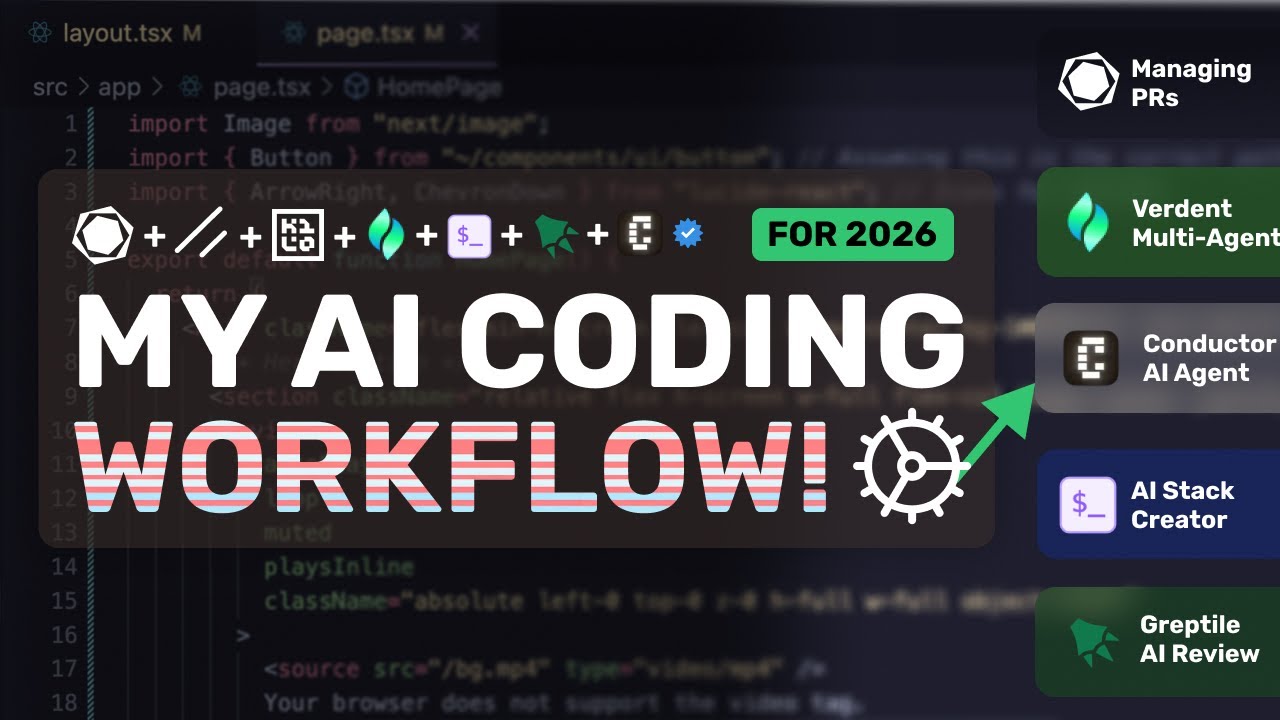
Watch: What a Real AI Coding Workflow Looks Like Day to Day
If you'd rather see this mapped out in an actual editor than read another paragraph about it, this video walks through a full daily AI coding workflow end to end — planning, editing, and where the human still has to step in.
Has It Actually Made Me a Better Developer, or Just Faster?
Faster, mostly — and only in the parts of the job that were already mechanical. Boilerplate, first-draft functions, test scaffolding, documentation: all genuinely quicker now, and I don't think that time saving is fake or imagined.
Better, only where I let it teach me something instead of just handing me an answer. The moments I've actually grown as a developer this year are the ones where I asked the AI why it suggested something, not just accepted the suggestion — where I pushed back on an approach and it either defended it with a reason I hadn't considered, or folded immediately because the first suggestion wasn't actually well-reasoned in the first place. Both outcomes are useful. Neither one happens if you just accept-tab your way through a diff without ever asking a follow-up question.
The honest middle-ground take, which is rarer in AI content than either the breathless hype version or the doom-and-gloom fear version: the fundamentals still matter, arguably more than before, not less. Being able to read code critically — AI-written or human-written, doesn't matter — and knowing when a suggestion is subtly wrong is now a bigger part of the job than raw typing speed ever was. If anything, AI has made "can you tell good code from confident-looking code" the actual skill that separates developers, more than it used to.
Why This Matters Even If You Never Touch a Code Editor
If you've read this far and you're not a developer, here's the actual takeaway to carry out of this post: the pattern above isn't specific to code. It's specific to any task where you're handing real, consequential work to an AI tool.
Planning before you prompt works whether you're asking AI to help draft a client contract or restructure a Django app. Splitting tasks between "quick, low-stakes tool" and "bigger, needs-a-real-brief tool" works whether that's an email assistant versus a full research assistant, or an editor plugin versus a terminal agent. And the single most important habit in this entire post — never trust confident-sounding output on anything that actually matters without checking it yourself — applies just as much to an AI-drafted invoice or business proposal as it does to a line of Python touching someone's stock inventory.
The tools change every few months. That underlying discipline hasn't, and I don't expect it to.
Frequently Asked Questions
Do professional developers actually use AI tools every day, or is it mostly hype?
Usage is real and well past the hype-only stage. Multiple 2026 industry surveys put daily or near-daily AI coding assistant use among professional developers above 80%, and it's now treated as standard tooling rather than an experiment at most companies.
Does using AI tools daily actually make developers faster?
It depends heavily on how the tool is integrated, not just whether it's turned on. Several 2026 studies found a meaningful gap between adoption rates and reported productivity gains — some teams see large gains, others report barely any, and the difference usually comes down to workflow integration, review discipline, and using the right tool for the right task rather than one tool for everything.
What's the biggest risk of relying on AI for coding daily?
The most commonly reported frustration isn't code that obviously fails — it's code that looks correct, compiles, and passes a casual glance, but contains a subtle logic or data-handling error that only shows up later. That's exactly why review habits matter more, not less, once AI is writing a meaningful share of your code.
Should I use one AI coding tool or several?
The pattern most experienced developers have converged on by 2026 is a two-tool setup: an editor-integrated assistant for fast daily edits and autocomplete-style work, plus a separate terminal-based agent for bigger, multi-file, or multi-step tasks. Trying to force a single tool to do both jobs well is usually where people get frustrated.
Is AI actually changing what junior developers need to learn?
It's shifting emphasis rather than removing fundamentals. Programming fundamentals, the ability to read and evaluate someone else's (or something else's) code, and system-level judgment are becoming more important, not less — because your job increasingly includes deciding whether the AI's output is actually correct.
I don't code. Why would I care about a developer's AI workflow?
Because the underlying habits — plan before you prompt, split tasks by tool, never trust confident-looking output blindly, use AI for the boring repetitive stuff first — apply just as well to writing emails, planning finances, or running a small business as they do to writing code.
Final Thoughts
I'm not going to end this with "AI changed everything" or "AI is overrated" — both are lazy, and neither matches a real workday. What actually happened this year is narrower and, honestly, more useful than either headline: the mechanical parts of my job got faster, the judgment parts got more important, and the trust I put in any single AI suggestion dropped the more I used these tools daily, not the other way around. That's not a contradiction. That's just what a year of real, daily use actually looks like once the novelty wears off.
If you're deciding how much to lean on AI in your own work — coding or otherwise — my honest advice is the same shape as this post: don't start from a tools list. Start from your actual workflow, notice where the tool saves you real time versus where it just feels productive, and keep your review discipline exactly where it was — or higher.
Keep Reading
- 9 AI Tools That Are Actually 100% Free for Developers in 2026 — the tools behind this workflow, if you haven't set any of them up yet
- Are AI Jobs in Demand in 2026? Here's What the Actual Hiring Data Says — what this daily AI-fluency actually translates to in the hiring market right now
- Why Are AI Tools So Costly in 2026? The Real Numbers Behind the Price Tag — what all this daily usage actually costs behind the scenes
This article reflects my own day-to-day workflow as of July 2026, cross-checked against multiple independent 2026 industry surveys and reports on AI coding assistant adoption and productivity. Individual results vary by codebase, team, and tooling — treat the workflow above as one developer's honest account, not a universal prescription.
Did you find this helpful?
FAQ